Zebra: A Versatile Font and Design Asset for Creative Projects
Imagine a design element that instantly injects energy, personality, and a handcrafted feel into your work. That's the power of the Zebra font and its accompanying design suite. This isn't just another typeface; it's a complete creative toolkit designed to bring a dynamic, illustrated aesthetic to a wide array of projects, from digital interfaces to physical merchandise.
Understanding the Zebra Design System
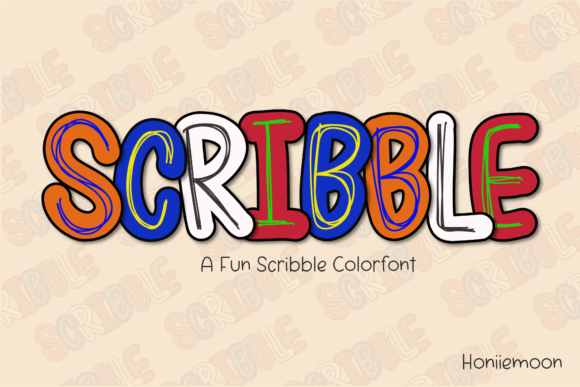
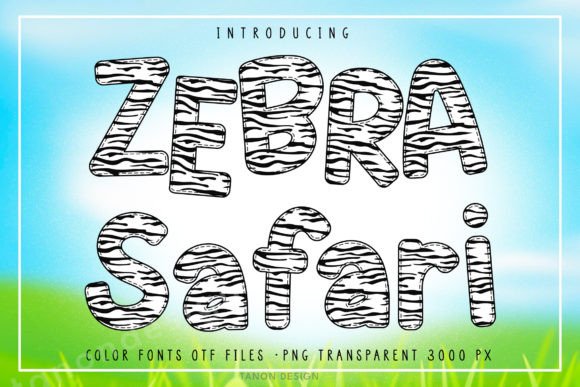
At its core, Zebra is a display font characterized by its bold, informal style and integrated scribble elements. What makes it particularly valuable for modern graphic design is its dual-format delivery. You receive a versatile OTF color font and a comprehensive set of high-resolution PNG transparent files at 3000px, along with the decorative scribble components. This combination offers immense flexibility, allowing designers to leverage the font for crisp text and the PNGs for scalable, detailed graphic overlays.
Practical Applications Across Design Disciplines
The true strength of a creative asset like Zebra lies in its application. Its playful yet professional character makes it suitable for numerous contexts where visual impact is key.
- Branding and Logo Design: Use it to craft memorable wordmarks or logotypes for brands targeting a youthful, energetic, or creative market. The hand-drawn feel adds authenticity and approachability.
- Marketing & Social Media Graphics: Create eye-catching headlines for posters, flyers, and digital ads. The color font and PNG elements ensure your social media posts, stories, and reels stand out in a crowded feed with unique visual texture.
- Packaging and Merchandise: It's ideal for product labels, apparel designs, and custom merchandise like t-shirts and mugs. The high-resolution files ensure print-ready quality.
- Digital Products and Web Design: While best used for headings or accents, Zebra can enhance the UI of apps, websites, or digital planners, adding a touch of personality to the user experience.
Key Considerations for Effective Use
Integrating a distinctive asset like Zebra into your design workflow requires thoughtful execution to maintain professionalism and clarity.
Compatibility and Workflow: A critical note for creators using cutting machines like Cricut. The black version of the font is fully compatible with Cricut Design Space. However, the color version is only compatible with advanced design software such as Adobe Photoshop, Illustrator, Silhouette Studio, and Inkscape. Always verify your software supports color font formats (OTF) before purchasing for specific projects.
Visual Hierarchy and Readability: Due to its detailed, illustrative nature, Zebra functions best as a display font for titles, logos, or short, impactful phrases. Pair it with a clean, simple sans-serif or serif font for body text to ensure readability and establish a clear visual hierarchy in your layouts.
Consistency and Brand Alignment: When using it for branding, ensure the font's character aligns with your brand's voice. It communicates fun, creativity, and informality. For more corporate or minimalist brands, use it sparingly as an accent element rather than a primary typeface.
Elevating Your Creative Output
Choosing the right creative assets is a fundamental part of the design process. A resource like the Zebra font package goes beyond basic typography; it provides a cohesive visual language. The included scribble elements allow you to extend the font's aesthetic into borders, icons, and background textures, creating a unified and polished look across all deliverables.
In a landscape where visual communication must be both effective and engaging, having a toolkit that offers both distinctiveness and versatility is invaluable. By thoughtfully applying such assets, designers can strengthen brand identity, capture audience attention, and ultimately produce work that is not only beautiful but also strategically sound and highly functional.